Export your library
In Goodreads, request the export and download the CSV file with your books.
Bring your library with you
Import your books and continue with a personal library that brings together reads, notes, statistics, recommendations and community on web, iOS and Android.
A different way to follow your reading
It offers a different experience, centred on what you do around each book: organizing it, reading it, saving ideas and understanding your journey.
| Need | Papiro | What you can do |
|---|---|---|
| Formats | Physical, ebook and audiobook | Follow pages or hours depending on how you read each book. |
| Tracking | Sessions, progress, notes and quotes | Keep the context of each read inside the book itself. |
| Organization | Statuses and custom shelves | Sort your library with your own categories and privacy per shelf. |
| Recommendations | Explained suggestions | See why a book was suggested, based on what you read and rated. |
| Importing | Preview before confirming | Review what was read from the file and decide what to keep. |
| Business model | Free, no advertising | Your attention is not the product. |
Import from Goodreads
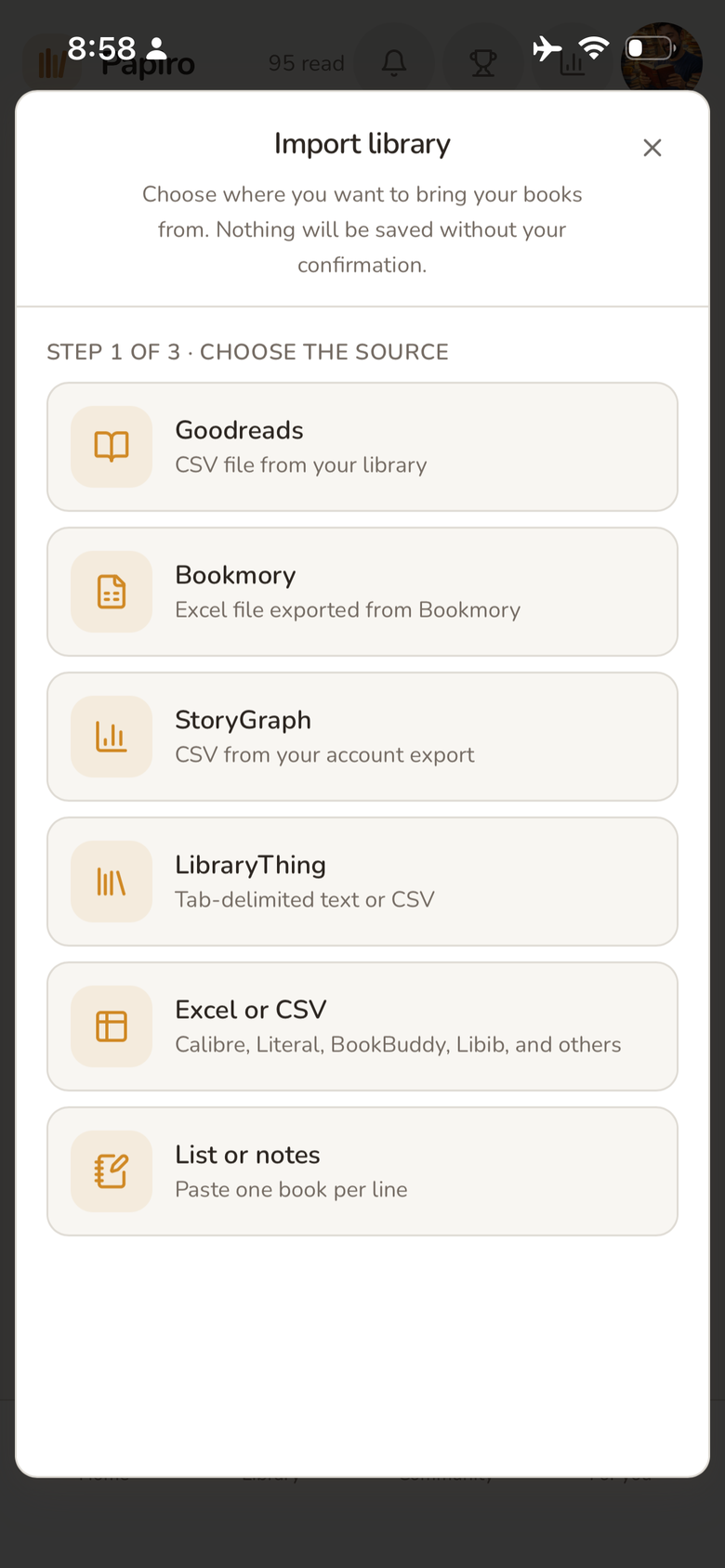
Export your library as a CSV file, upload it to Papiro and check the result. You can also import from other platforms.
In Goodreads, request the export and download the CSV file with your books.
Send the file to Papiro and see a preview of what was read from it.
Nothing is saved until you confirm, and you can export a copy later.
After importing
The imported books are the starting point, not the destination: from there Papiro follows what comes next.
Reorder by status, format and shelves that make sense to you.
Log sessions, progress, notes and quotes on the books you're reading.
Recommendations start from what you've read and rated, and explain each suggestion.
Frequently asked questions
The import is reversible: you review the preview and decide what stays.
Export your Goodreads library as a CSV file and upload it to Papiro. You see a preview of what was read from the file, and nothing is saved until you confirm.
No. The import uses the data available in the file, such as title, author, rating and dates, when they are present.
Yes. Besides Goodreads, Papiro imports from Bookmory, StoryGraph, LibraryThing, Excel or CSV spreadsheets, or a pasted list.
Your library can continue
Import with a preview, confirm what stays and keep reading where you left off.
Keep exploring